

Introduction
The most automated commercial lighting setup for modern indoor cultivators is the integration of ThinkGrow LED fixtures with TrolMaster environmental controllers. By using a specialized TrolMaster Hydro-X system, you can move beyond manual timers to achieve precise light scheduling, DLI-based intensity control, and integrated sunrise/sunset dimming. This guide details how to bridge these two platforms using the dedicated TrolMaster ThinkGrow LMA lighting adapter series to optimize your grow room performance.
Quick Comparison Table
| Adapter Model | Best For | Control Protocol | Max Fixtures per Zone | Price |
|---|---|---|---|---|
 LMA-T LMA-T |
Full-cycle fixtures (Model-I and Model-H Plus) | TrolMaster RJ12 Bus | Individual/Group | $95.00 |
 LMA-9 LMA-9 |
0-10V Dimming Conversion | 0-10V Signal | Up to 100 | $75.00 |
 LMA-G LMA-G |
Group Control & Daisy Chaining | Group Digital | Customizable | $85.00 |
Why Pair ThinkGrow Lights with TrolMaster?
Managing high-performance LED arrays manually creates unnecessary room for error. Commercial cultivation demands precise light scheduling, which is why the grow light controller ecosystem provided by the Hydro-X is so well suited to professional grows. These controllers allow for advanced features like automated light schedules that adjust intensity by growth stage, mimicking natural cycles through customized sunrise and sunset dimming sequences. This approach ensures your full-spectrum LED grow light investment provides exactly the right DLI to your plants without stressing them with sudden light spikes.
Which TrolMaster Adapter Works with ThinkGrow?
To integrate your lights, you must choose the correct adapter based on your specific fixture series and control needs. The LMA-T is designed for direct compatibility with full-cycle fixtures like the Model-I and Model-H Plus series using the RJ12 bus. For setups requiring 0-10V dimming protocol conversion, the LMA-9 is the standard. If your goal is to daisy-chain multiple fixtures as a single zone, the LMA-G serves as the group control lighting adapter. Understanding these differences is the first step in setting up a reliable TrolMaster LMA Adapter Compatibility configuration.
ThinkGrow Model x Adapter Reference
| ThinkGrow Fixture | Wattage | Dimming Protocol | Adapter Needed |
|---|---|---|---|
 Model-H Plus Model-H Plus |
720W | TrolMaster Digital | LMA-T |
 Model-I Model-I |
720W | TrolMaster Digital | LMA-T |
 Model-I Plus Model-I Plus |
720W | TrolMaster Digital | LMA-T |
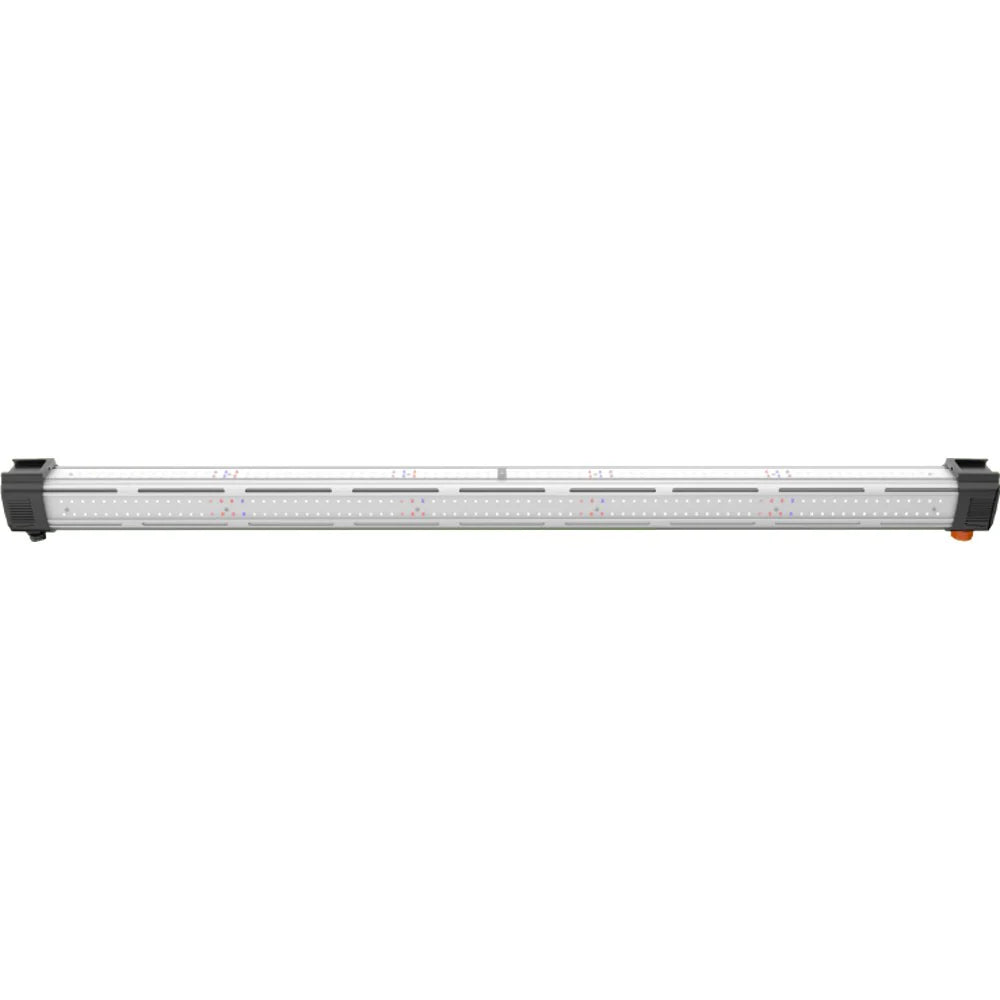
 Model One TLB-1 and
TLB-2 bar lights Model One TLB-1 and
TLB-2 bar lights |
120W | 0-10V | LMA-9 |
 Model One ICL-300 (inner canopy) Model One ICL-300 (inner canopy) |
120W | 0-10V | LMA-9 |
| Multiple fixtures as one zone | Any | Group Digital | LMA-G + LMA-T per fixture |

Step-by-Step: Connecting ThinkGrow to Hydro-X via LMA-T
- Update Hydro-X firmware. Power on the controller and confirm it is running the latest firmware version. Older firmware may not recognize the LMA-T device signature.
- Power down the ThinkGrow fixture. Always connect adapters with the fixture off to avoid detection errors during pairing.
- Plug the LMA-T into the fixture's LMA port. On Model-I and Model-H Plus fixtures, the LMA port is a dedicated RJ12 socket on the driver housing, separate from the daisy-chain ports.
- Run an RJ12 cable from the LMA-T to an available RJ12 port on the TrolMaster hub or splitter (SPH-1). Keep cable runs under 100ft to avoid signal degradation.
- Power the fixture back on. The Hydro-X should detect the adapter within 10-15 seconds.
- Navigate to Lighting and Add Device on the Hydro-X screen. The controller assigns the LMA-T to a lighting channel automatically.
- Test the dimming range. From the Lighting menu, manually set the channel to 10%, 50%, and 100% output and confirm the fixture responds at each level. A fixture that dims only partially may need a firmware update on the ThinkGrow driver.
- Label the channel. Assign a descriptive name (e.g., "Canopy Row A: Model-H Plus") in the Hydro-X app for easier schedule management across multiple zones.
Setting Up Light Schedules and Sunrise/Sunset Dimming
The ability to set specific DLI targets is the most effective way to maximize yield in a precision grow. Within the Hydro-X interface, the vegetative and flowering stages can be programmed separately. Setting a 15 to 30-minute sunrise/sunset duration simulates a more natural transition for the plants, reducing the heat shock often seen in rooms that jump from zero to full power instantly. This level of automation is essential when running 800W to 1000W LED grow lights in a sealed environment where thermal stress compounds quickly.
Use the table below as a starting reference when configuring ThinkGrow fixture output in Hydro-X. Adjust based on cultivar response and room-specific PPFD measurements from the MBS-PAR sensor.
| Growth Stage | Photoperiod | Target DLI (mol/m2/day) | Recommended Dimming % |
|---|---|---|---|
| Clone / Seedling | 18h on / 6h off | 15-25 | 30-50% |
| Vegetative | 18h on / 6h off | 35-45 | 60-80% |
| Transition / Pre-flower | 12h on / 12h off | 35-45 | 80-100% |
| Flower | 12h on / 12h off | 40-65 | 90-100% |
Daisy-Chaining Multiple ThinkGrow Bars with LMA-G
For larger scale operations, the LMA-G adapter allows you to unify multiple fixtures into a single controllable zone. By connecting the first light to the LMA-G, you can then use TDC daisy-chain cords (TDC-2, TDC-3, or TDC-4) to link subsequent bars. This prevents the need for an individual adapter for every single LED grow light bar in the room. In practice, this simplifies cable management while ensuring that every light in the group receives identical dimming commands simultaneously.
PAR Sensor Feedback for DLI Targets
For true closed-loop control, adding the MBS-PAR quantum sensor completes the automation loop. When connected to the TrolMaster Hydro-X, the sensor feeds real-time light intensity data back to the controller. If ambient light levels shift, whether from supplemental skylights or fluctuating power, the controller adjusts the output of your commercial LED grow lights to keep DLI targets constant throughout the day. Standard mechanical timers and static settings cannot match this level of environmental response.
Frequently Asked Questions
- Is ThinkGrow compatible with TrolMaster Hydro-X?
- Yes, ThinkGrow fixtures are fully compatible with the Hydro-X system when using the correct LMA series adapter, such as the LMA-T, LMA-9, or LMA-G.
- What is the LMA-T adapter?
- The LMA-T is a dedicated lighting adapter designed to interface ThinkGrow LED fixtures directly with the TrolMaster RJ12 digital bus.
- How many ThinkGrow bars can I control from one TrolMaster zone?
- Using the LMA-G adapter, you can daisy-chain multiple fixtures as a single zone, though you must respect the total power draw limits of your specific circuit.
- Can I control ThinkGrow Model One bar lights with TrolMaster?
- Yes, as long as you identify the correct LMA adapter for the specific dimming protocol of your bar light series.
- Does TrolMaster support DLI-based light scheduling?
- Yes, by adding an MBS-PAR sensor to the Hydro-X system, you can enable closed-loop DLI control for automated intensity adjustments.
- What is the LMA-9 adapter and how does it differ from the LMA-T?
- The LMA-9 is a 0-10V analog dimming adapter that works with any ThinkGrow fixture accepting a standard 0-10V control signal, including the Model One TLB-1 and ICL-300 bar lights. The LMA-T uses the TrolMaster proprietary RJ12 digital protocol and targets ThinkGrow fixtures with the dedicated two-pin TrolMaster control port. For most Model-H Plus and Model-I installations, the LMA-T is the correct choice; use the LMA-9 when running a mixed fixture setup or a separate 0-10V control loop.
- Can I daisy-chain ThinkGrow bars across multiple RJ12 ports?
- Each TrolMaster lighting control zone is a single RJ12 daisy chain. You link multiple fixtures in series using the ECS-7 cable set, and one LMA-T handles the entire chain with all bars responding together. For independent zone control of separate fixture groups, use additional LMA-T adapters connected to different Hydro-X device station ports.
- Does the ThinkGrow Model-I Plus require a different adapter than the Model-H?
- The Model-I Plus supports four adjustable spectrum channels and is designed specifically for the TrolMaster Hydro-X Pro (HCS-2) system. It requires the LMA-G group control adapter in addition to the LMA-T for individual channel control. The standard HCS-1 supports two-channel control only, so full four-channel spectrum tuning on the Model-I Plus requires the HCS-2.
- What is the LMA-G group control adapter used for?
- The LMA-G enables group control of ThinkGrow Model-I and Model-I Plus fixtures, allowing independent intensity and spectrum adjustments across multiple fixtures at once. It connects to a lighting control adapter (LMA-T or LMA-9) and is used when you need to split a zone into intensity groups or manage spectrum tuning independently per group. Without the LMA-G, all fixtures on a chain respond identically.
- Can I use TrolMaster to automate CO2 dosing alongside ThinkGrow LED control?
- Yes. The Hydro-X HCS-1 handles both lighting control via LMA adapters and CO2 management via the DSC-1 CO2 Device Station from a single controller. You set a CO2 ppm target and a light schedule, and the Hydro-X coordinates both independently. For multi-room CO2 safety monitoring, the Carbon-X CDA-1 system runs alongside the Hydro-X as a dedicated alarm layer.
Related Guides
- Complete Guide to Grow Room Controllers
- Best Grow Room Controllers for Indoor Growing
- TrolMaster Tent-X vs Hydro-X
- Best LED Grow Lights for Indoor Growing
- TrolMaster Hydro-X Review: HCS-1, HCS-2, and HCS-3 Compared
- TrolMaster CO2 Setup with the Carbon-X: Multi-Zone Alarm and Dosing Guide
- TrolMaster Aqua-X Irrigation Guide: Automating Watering Zones and Crop Steering


